
We want you to get the most out of the SLS demo kit. Here are the setup steps to get the kit ready for use and feedback!
What's Included?
- Remote Tablet (wrapped at bottom of box)
- Hearo Hub
- Smart Light
- Motion sensor
- Door sensor
- Power cords and adapters

Power On Devices
Hub Setup
- First, plug in the Hearo Hub using one of the USB-C cables and a power adapter
- Note: white sensor and black USB plug should remain plugged into the Hub's ports
- Connect the Hub to internet through an ethernet cable
- It can take 5-10 minutes for the Hub's services to load
Tablet Setup
-
Plug in the Remote Tablet using the provided cables and second power adapter
- Press the power button to turn on the tablet
- Click the gear icon to open Settings menu, then add your network name and password to connect to Wi-Fi
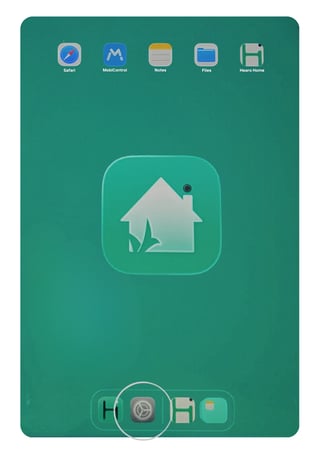
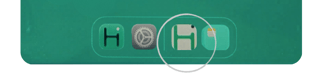
- Once connected, click the green and white Hearo icon to open the remote support application
Light Setup
- Plug in the Smart Light using the provided cables - it can share with the dual power adapter provided
Access Remote Dashboard
Now that your demo kit is ready to go, log into the remote dashboard: https://app.hearo.net/
Here are some first actions I suggest to become familiar with the system
- Test calls between the remote dashboard and tablet - be sure to select John Blue Bell vs 'call location' to call the specific demo tablet
- Review Location Details - here's a Knowledge Base article with some details
- Interact with the door and motion sensors and watch them appear in the dashboard activity logs
- Some sensor activity has rules that enable the Smart Light