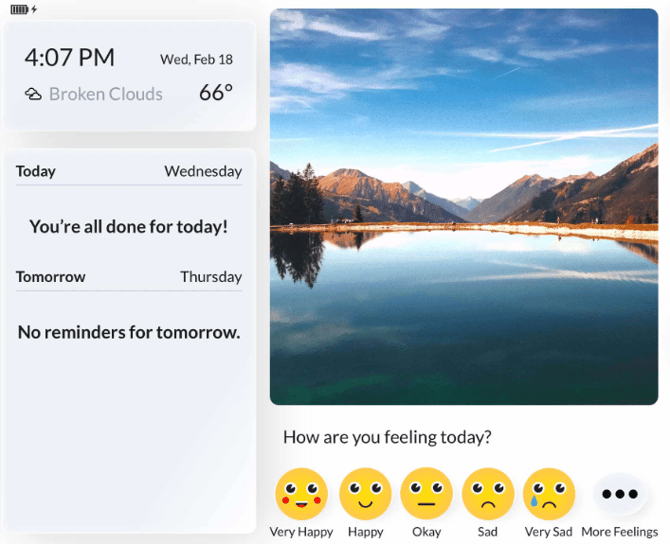
Located inside the Location Details for the home is the ability to view details on the tablet's current state.
1. Navigate to the Location

From the top menu bar, click on Locations, then select the name of the home or site where you need to check on a device.
2. Monitor Tablet
Under the Individual's name, simply click the Monitor Tablet icon underneath the device
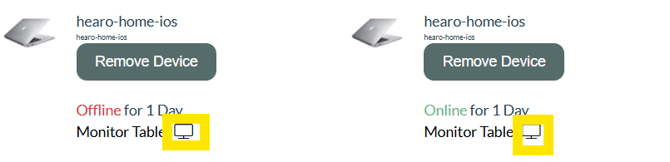
For example, when clicking on the 'Offline' tablet above, there are signs this tablet is offline due to power loss.
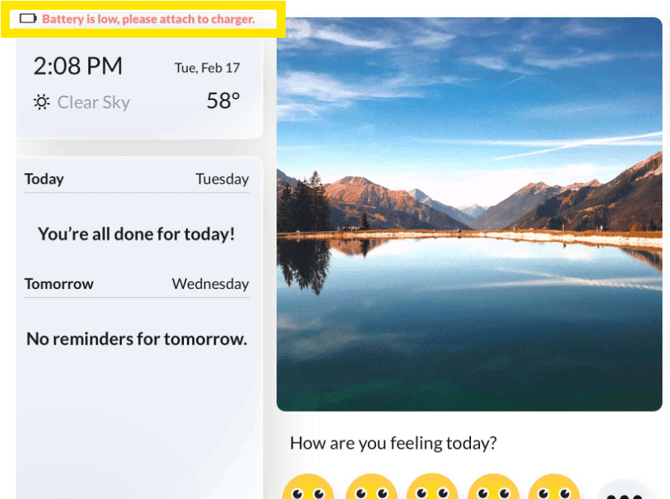
- The date and time are not correct- this shows last time this tablet was connected to the hub or internet.
-
The battery level shows it was low the last time the device was online
- If the battery level shows this message, the next step in troubleshooting is to get the tablet plugged back into power. This step will require on-site intervention
When clicking on the 'Online' tablet above, it shows the correct date and time. This tablet is communicating to the Remote Dashboard.